Step 1: The Infrastructure Sandbox
To keep your laptop clean, run your databases inside Docker containers. You need PostgreSQL as your primary data store and Redis as your caching layer.
Create a docker-compose.yml file:
YAML
version: '3.8'
services:
  postgres:
    image: postgres:15
    environment:
      POSTGRES_USER: test_user
      POSTGRES_PASSWORD: test_password
      POSTGRES_DB: api_db
    ports:
      - "5432:5432"

  redis:
    image: redis:7
    ports:
      - "6379:6379"
Run docker-compose up -d to spin them up.
Step 2: The "Bad" Baseline API
To learn how to fix a bottleneck, you first have to create one. Write a basic FastAPI app with a synchronous database driver (like psycopg2).
Intentionally make the worst possible architectural choice: open a new database connection for every single request.
Python
# main.py
from fastapi import FastAPI
import psycopg2

app = FastAPI()

@app.get("/users/{user_id}")
def get_user(user_id: int):
    # BAD: Opening a new connection synchronously per request
    conn = psycopg2.connect("dbname=api_db user=test_user password=test_password host=localhost")
    cur = conn.cursor()
    cur.execute("SELECT * FROM users WHERE id = %s", (user_id,))
    user = cur.fetchone()
    conn.close()
    return {"user": user}
Step 3: Break the API (Load Testing)
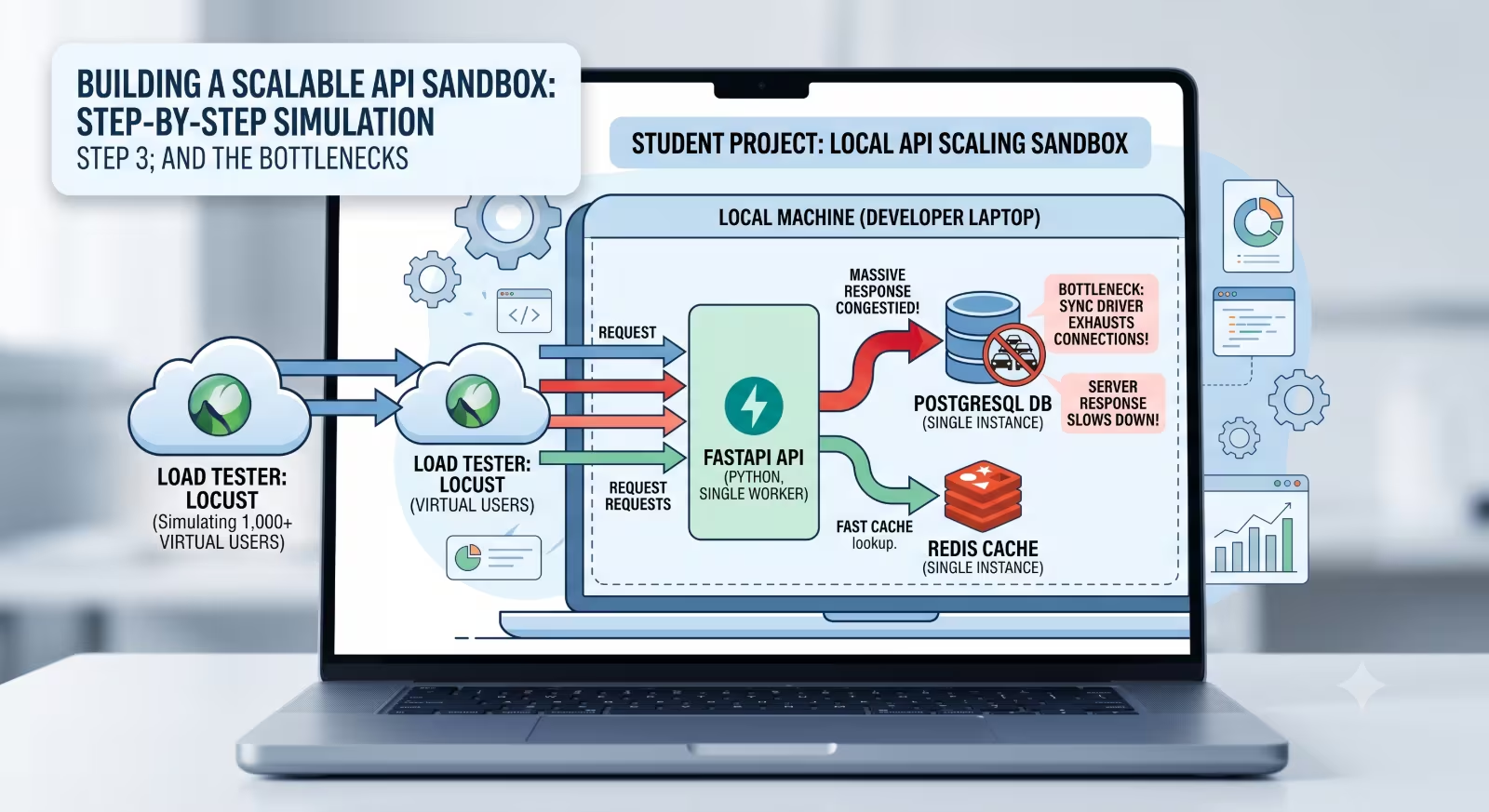
Now, simulate massive traffic using an open-source tool like Locust. Locust lets you write Python scripts to simulate thousands of concurrent users hitting your local server.
Create a locustfile.py:
Python
from locust import HttpUser, task, between

class APIUser(HttpUser):
    wait_time = between(1, 2)

    @task
    def query_user(self):
        # Pick a random user ID to query
        self.client.get("/users/1")
Run your FastAPI app (uvicorn main:app --workers 1), and then run Locust (locust -f locustfile.py). Navigate to Locust's web UI at http://localhost:8089 and unleash 500 concurrent users.
What you will see: Your laptop's CPU will spike. PostgreSQL will quickly run out of available connections (the default max is usually 100), and FastAPI will start throwing 500 Internal Server Errors. Your Requests Per Second (RPS) will flatline.
Step 4: The Fix — Async I/O & Connection Pooling
Now, refactor the application to handle high concurrency. Swap the synchronous driver for an async driver (asyncpg) and initialize a connection pool when the FastAPI app starts.
A connection pool keeps a set number of database connections open and reuses them across thousands of incoming requests, completely eliminating the connection overhead.
Python
import asyncpg
from fastapi import FastAPI

app = FastAPI()
db_pool = None

@app.on_event("startup")
async def startup():
    global db_pool
    # Create a reusable pool of connections
    db_pool = await asyncpg.create_pool(dsn="postgresql://test_user:test_password@localhost/api_db")

@app.get("/users/{user_id}")
async def get_user_optimized(user_id: int):
    # GOOD: Reuse a connection from the pool asynchronously
    async with db_pool.acquire() as conn:
        user = await conn.fetchrow("SELECT * FROM users WHERE id = $1", user_id)
        return {"user": dict(user)}
Rerun the Load Test: Hit it with 500 users again. You will see 0 errors, drastically lower latency, and a much higher RPS. You have successfully decoupled database I/O from your API's main thread.
Step 5: The Final Polish — Redis Caching
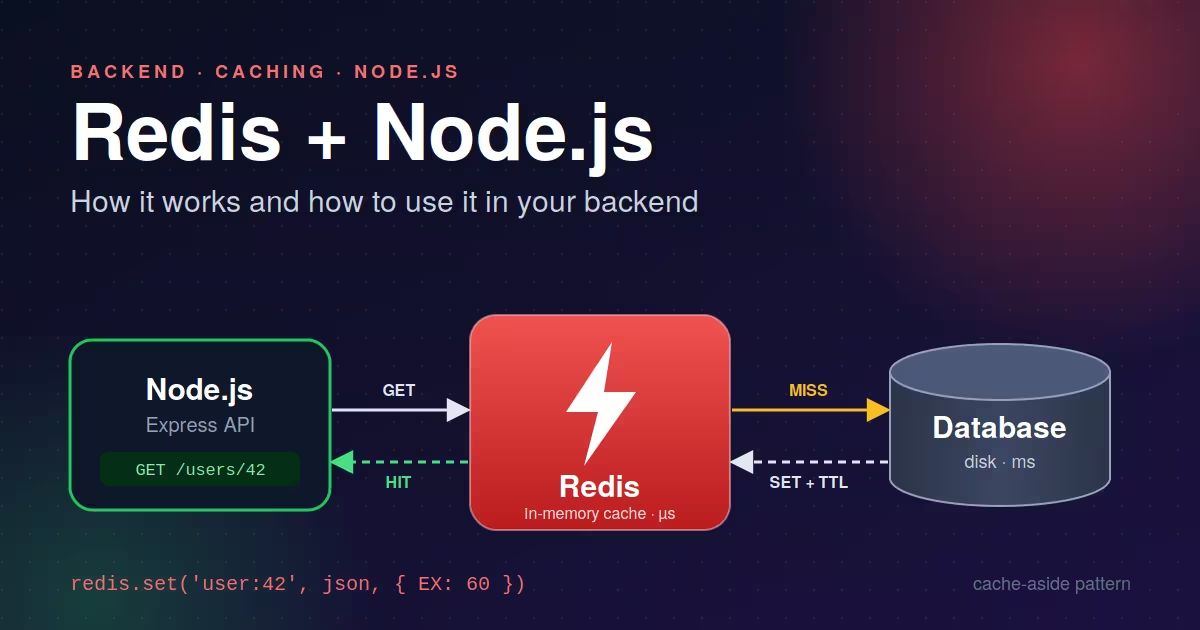
To simulate handling millions of read-heavy requests, integrate Redis. Fetching from RAM is exponentially faster than fetching from a disk-backed database.
Add the
redis-pylibrary to your project.In your endpoint, first check if
user_idexists in Redis.If yes (Cache Hit), return it immediately.
If no (Cache Miss), fetch it using your async pool, store the result in Redis with an expiration time (Time To Live / TTL), and return it.
When you run your load test this time, the first request will hit Postgres, and the subsequent 499 requests will be served instantly from Redis. Your latency will drop to mere milliseconds, mimicking a true production-grade API.
Testing FastAPI with 100 Virtual Users Using Locust
This video provides a practical, beginner-friendly walkthrough of setting up Locust to simulate hundreds of concurrent virtual users against a FastAPI application, mirroring the exact load-testing steps outlined in the project.

Rohit Bairwa
Published on · 4 min read read